On-Premise Enterprise Automation
Enterprise automation.
On-premise by design.
Build and operate business workflows visually, without traditional coding, entirely within your own infrastructure.
- On-premise
- Governed
- Auditable
Runs inside your infrastructure
The control requirement
Automation shouldn’t require giving up control.
Some organisations need automation without moving the systems, data or credentials their workflows depend on.
Your environment
On your infrastructure
Systems
ERP, CRM, databases, file systems, etc.
Data
Business data, documents, records, files, etc.
Credentials
Service accounts, APIs, secure access, etc.
Workflows
Your business processes and automation logic.
Exekra
Enterprise automation inside your environment.
- Govern
- Execute
- Monitor
- Improve
The platform
One platform for the whole automation lifecycle.
Three components on one protected data layer, all inside your infrastructure.
- 01
Studio
Build and test workflows visually, without traditional coding.
- 02
Hub
Deploy, schedule, govern and monitor automation from one place.
- 03
Runners
Run workflows securely on machines within your own infrastructure.
Protected data layer
Workflow data, credentials, execution state and audit records stay in your environment. All three components work on it in place.
Capabilities
Built beyond workflow design.
Govern, operate and improve automation in production.
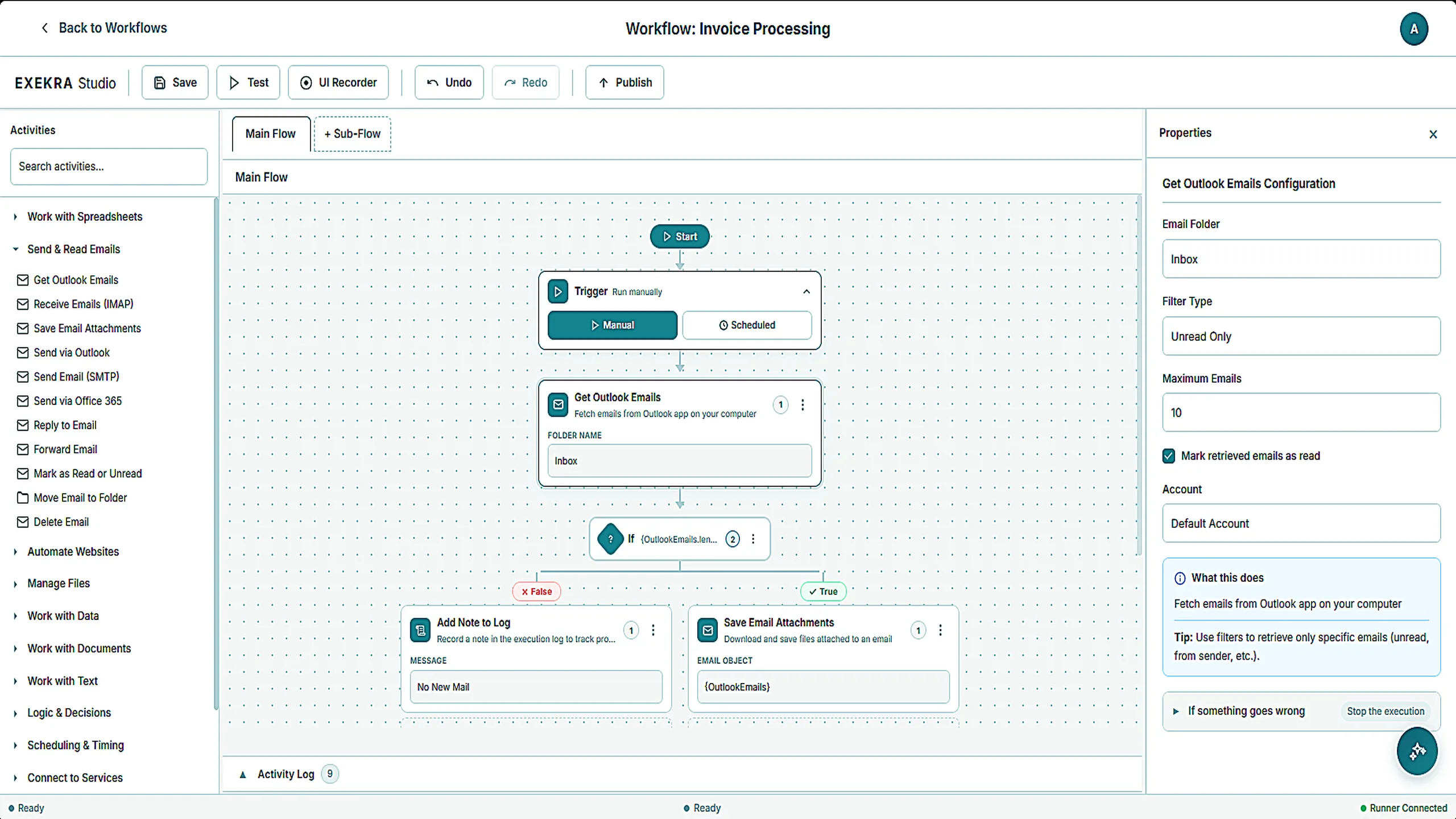
Exekra Studio
Design visually. Run where your business operates.
Build, test and maintain automations without traditional coding, while execution stays inside your infrastructure.
- 1
Connect your systems
Email, files, databases, websites and desktop applications.
- 2
Build on a visual canvas
Connect triggers, actions and decisions, step by step.
- 3
Configure and test each step
Set inputs and conditions, then run it on sample data before publishing.
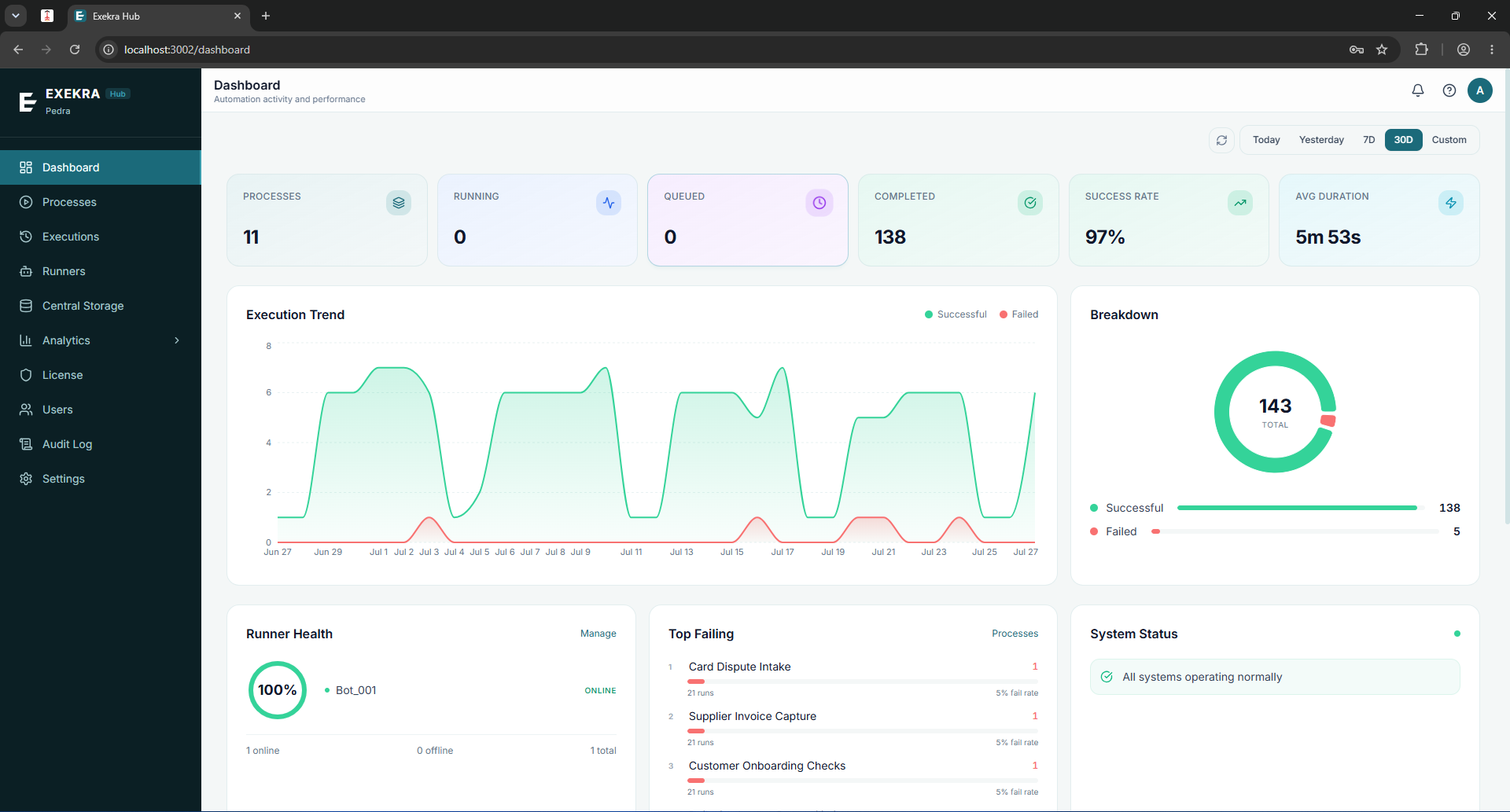
Exekra Hub
Operate automation from one place.
Building is only the start. The Hub is where automation is deployed, governed and improved.
Deploy
Publish a version, pick where it runs.
Schedule
Triggers, priorities and run windows.
Govern
Roles, credentials and business units.
Monitor
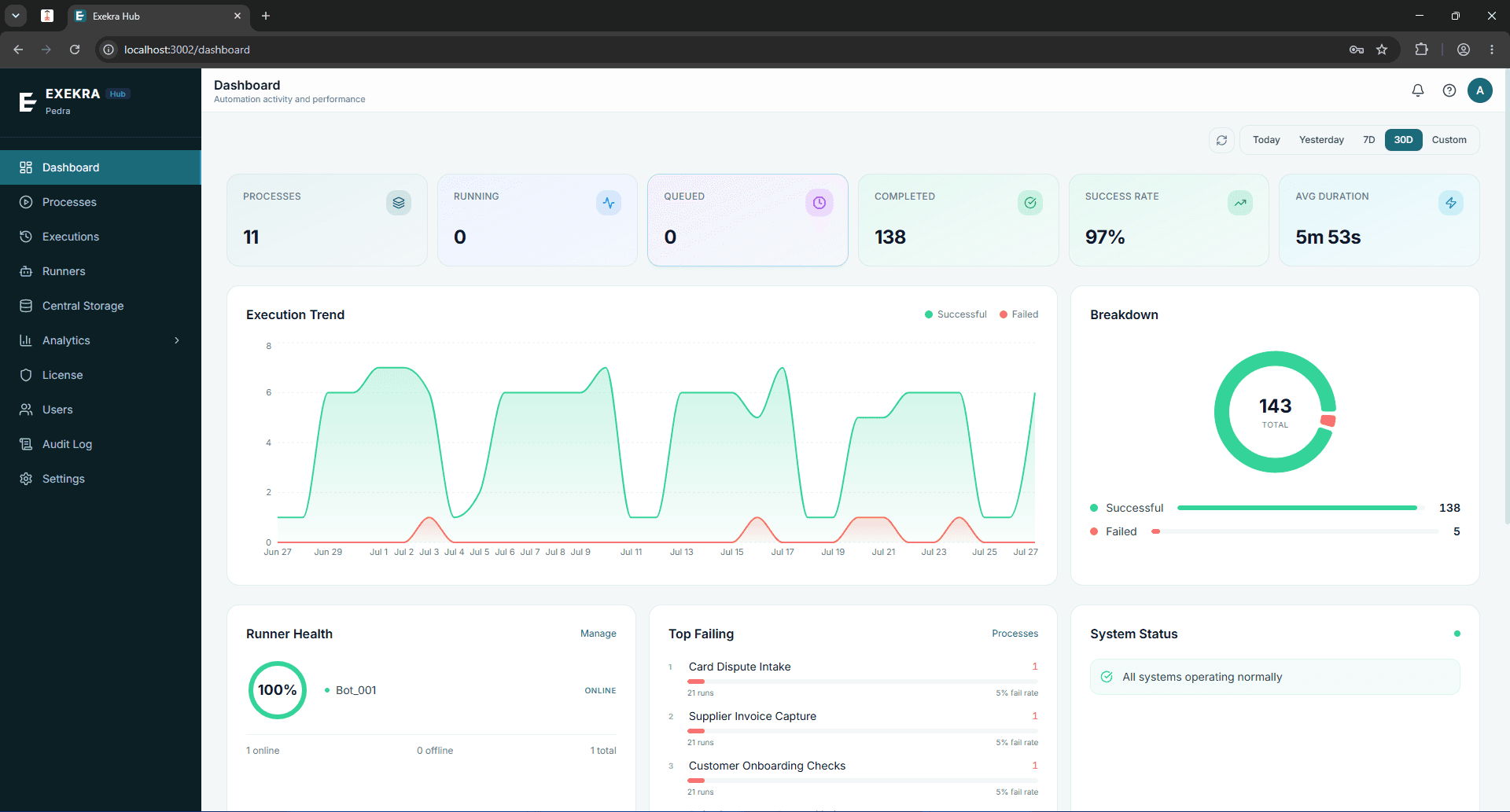
Live runs, history and failure patterns.
Improve
See which processes fail most often.
How it works
From workflow idea to reliable operation.
Exekra covers the whole loop, not just the building of it. An automation is designed, validated, deployed, governed, run, monitored and continuously improved.
- 01
Design
Studio
Build the workflow visually in Studio.
- 02
Validate
Studio
Test the workflow, catch failures and fix them before production.
- 03
Deploy
Hub
Publish a signed version to the Hub.
- 04
Govern
Hub
Decide who can run it, on what, with which credentials.
- 05
Run
Runners
Runners execute it on machines inside your own infrastructure.
- 06
Monitor
Hub
Watch live runs, failures and duration as they happen.
- 07
Improve
Studio + Hub
Identify recurring failures, refine the workflow and publish the next version.
Solutions
Start with one process your team already runs.
Real processes, shown step by step.
- 01Email arrives
- 02Extract fields
- 03Validate against PO
- 04Route for approval
- 05Post to finance system
- Purchase order processing
- Month-end reporting
- Contract expiry reminder
- Bank statement reconciliation
Built for organisations that need automation without losing control.
Workflow automation that stays inside your environment, with the governance and operational visibility to run it at scale.
Keep data in your environment
Workflow data, credentials and execution records stay inside your infrastructure. Exekra operates without requiring your operational data to leave your environment.
Govern who can build and run automation
Roles, business units and per-process permissions control who can publish, who can run and which credentials each workflow can access.
See what is happening in production
Track live runs, failure patterns and duration trends from one operational view, with a tamper-evident audit record of every administrative action behind them.
Scale without losing operational control
Add runners and processes as demand grows. The same governance model applies across your automation estate.
Bring enterprise automation in‑house
See Exekra deployed inside your infrastructure on a real operational workflow. We’ll walk through your environment, security requirements and the process you want to automate.
Predictable enterprise pricing
Licensing scales with the capacity you deploy. Not the number of tasks you run.
See how Exekra is licensed